How a Business Phone System Supports Remote and Hybrid Workers
See how a modern business phone system connects office, home and mobile workers while keeping numbers, routing and support consistent.
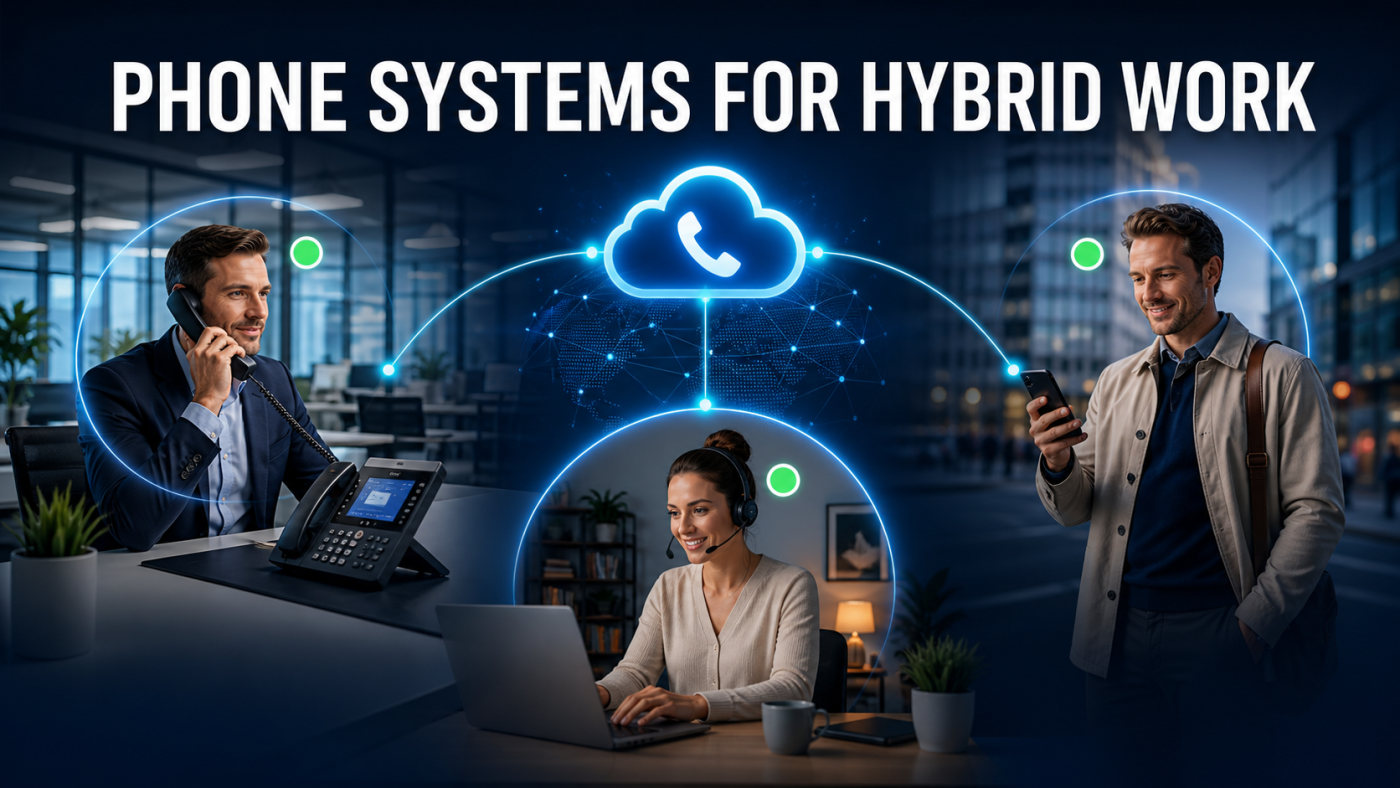
Remote and hybrid work creates a simple expectation: customers should be able to reach the right person without needing to know where that employee is working. A suitable business phone system provides one number plan, consistent call handling and controlled access across offices, homes and mobile devices.
That does not mean copying every office feature onto every device. The design should reflect roles, connectivity, security and how teams collaborate during a normal working day.
One business identity across locations
Employees can make and receive calls using business numbers rather than personal mobile details. Calls to a main number, direct dial or queue can follow the same rules whether the user is at headquarters, a branch or home.
A central business VoIP platform can also keep outbound caller identification, voicemail and company directories consistent. This helps customers recognise the organisation and reduces fragmented call handling.
Desktop, browser and mobile applications
Softphone applications allow employees to use an approved computer or smartphone as an extension. A headset and desktop application can suit regular home workers, while a mobile app may be better for employees moving between sites.
Applications should be tested for call transfer, hold, conferencing, voicemail and presence—not just basic dialling. The user experience matters because complex workarounds encourage staff to return to personal numbers or unsupported consumer tools.
Presence and team availability
Presence information can show whether a colleague is available, busy or away, helping employees make better transfer decisions. Shared contacts, chat or status functions may also reduce unnecessary calls between teams.
Presence data must be used sensibly. It is an operational aid rather than a complete measure of productivity, and visibility should follow appropriate access permissions.
Queues and call distribution
Remote staff can join the same queues or ring groups as office colleagues. This allows customer calls to be distributed by availability or role instead of location. Supervisors may need reporting, login controls and overflow arrangements to keep service levels consistent.
Define what happens when a home worker loses connectivity or forgets to change status. Queue timeouts, alternative agents and voicemail should prevent calls becoming trapped.
Connectivity and call quality
Voice quality depends on more than headline download speed. Upload capacity, latency, jitter, packet loss, Wi-Fi conditions and other household traffic can affect calls. Employees with a fixed workspace may benefit from a wired connection and a properly configured router.
The organisation should set a minimum supported environment and provide a simple troubleshooting process. Our guide to internet requirements for 3CX explains the same quality factors in more detail.
Security and access control
Remote access increases the importance of strong credentials, supported applications, timely updates and appropriate user permissions. Administrative interfaces should not be exposed unnecessarily, and leavers’ access should be removed promptly.
Businesses should agree whether calls may be recorded, where recordings are stored and which users can retrieve them. The same governance should apply regardless of the employee’s location.
Desk phones still have a role
Some home workers prefer a dedicated IP phone, particularly when they handle calls all day. A desk phone can provide familiar controls and separate business calling from the computer. It still needs power, connectivity and secure provisioning.
A modern business phone system should support a sensible mixture of desk phones and applications so equipment matches the job rather than a blanket policy.
Business continuity benefits
A location-independent design can help when an office becomes inaccessible. Employees may continue using approved applications or alternative sites, and numbers can follow predefined routing. This is useful resilience, but it still depends on the platform, connectivity and recovery arrangements being tested.
A hybrid-working deployment checklist
- Classify users by calling pattern and device requirement.
- Define business-number presentation and call-routing rules.
- Test applications, headsets and transfers with representative users.
- Set connectivity and security standards for supported remote work.
- Configure queue overflow and loss-of-connectivity behaviour.
- Train users and test continuity arrangements.
Management and employee experience
Hybrid calling should not make supervision dependent on listening to every call or monitoring presence continuously. Useful management information includes queue demand, answered and abandoned calls, service levels and recurring failure patterns. Access should be limited to people with a legitimate operational need.
Employees need a clear boundary between business and personal use. Explain when the company application should be used, how caller identification works, whether recordings apply and what support is available. Provide guidance for changing status, selecting audio devices and handling poor connectivity.
Supporting home-working equipment
Decide which equipment the business supplies and supports. A standard headset or approved desk phone can reduce inconsistent audio and simplify diagnosis. Document whether employees may use personal mobiles, computers or broadband and what happens when those devices cannot meet the required standard.
Fault handling should begin with simple checks but must distinguish a local home-network problem from a platform or provider fault. Central logs and call-quality information can help support teams avoid blaming the employee’s connection without evidence.
The best hybrid setup makes location less visible to customers while keeping management and security clear for the business. I.T Communications can design and support calling across offices, homes and mobile users. Discuss your hybrid-working phone requirements with our UK team.